Skip to content
Kakobuy logoKakobuy Spreadsheet Event Calendar

First order · eight official steps

How to order with Kakobuy, with the right dates in mind.

Follow the buying journey from a product link to delivery. At each stage, identify which payment or warehouse deadline actually applies.

Official sequence checked 15 October 2026. These older official screenshots illustrate the interface: prices, balances, coupons, route examples and legacy labels are not current offers. Your current product, order and parcel screens govern. Every screenshot opens at full size.

Official buying guide ↗ · Open the date checker

01

Find the product

Begin with a spreadsheet find, the original product URL, an image or a keyword. Compare the actual seller and variant before deciding when to buy. A promotion is not evidence that two similar listings are the same item.

Choose a shelf and evaluate a listing →
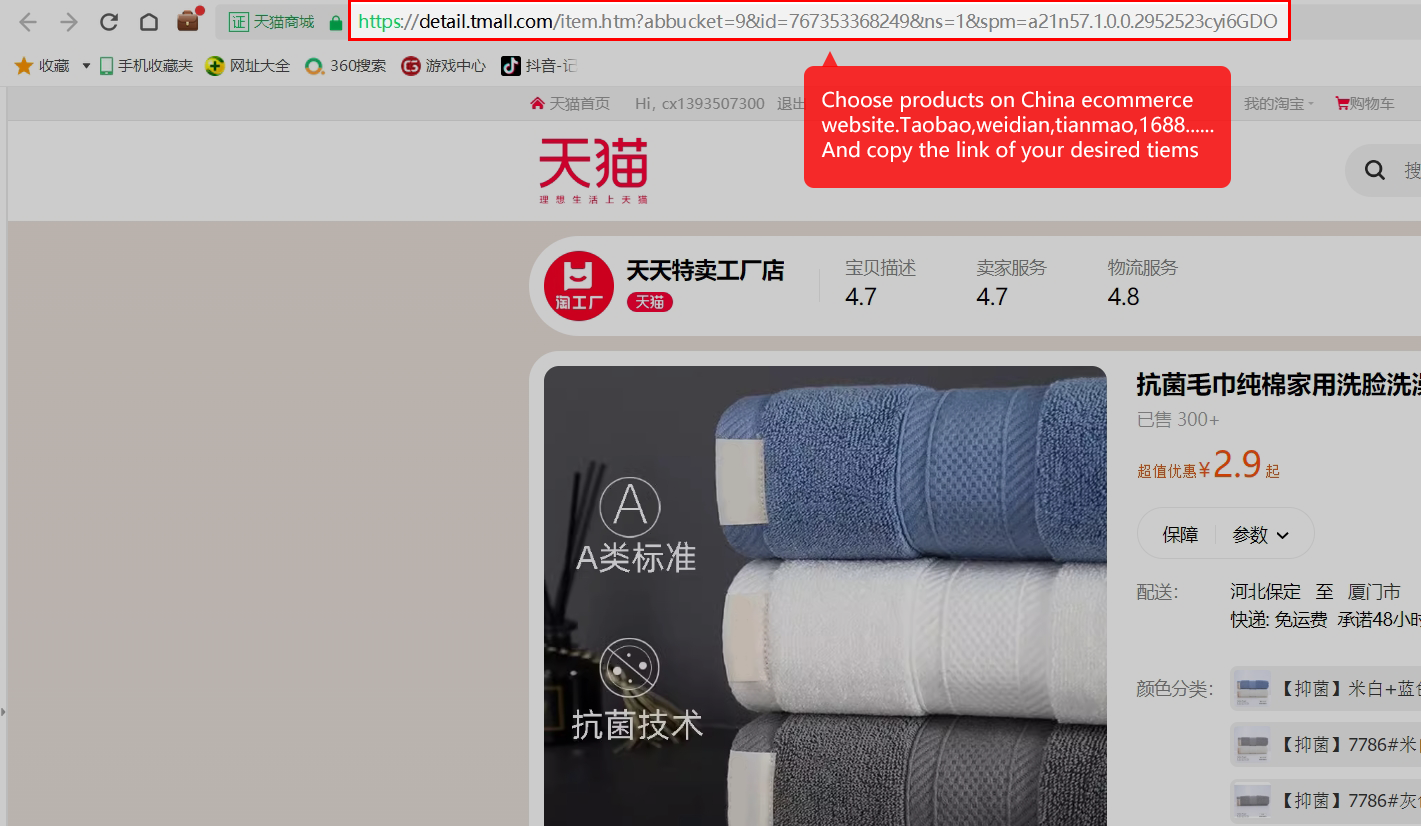
Copy the original marketplace product link
Copy the original marketplace product link. The source product page is the starting point. Copy the item address, not a shop homepage or a screenshot URL. Full-size image 01 ↗
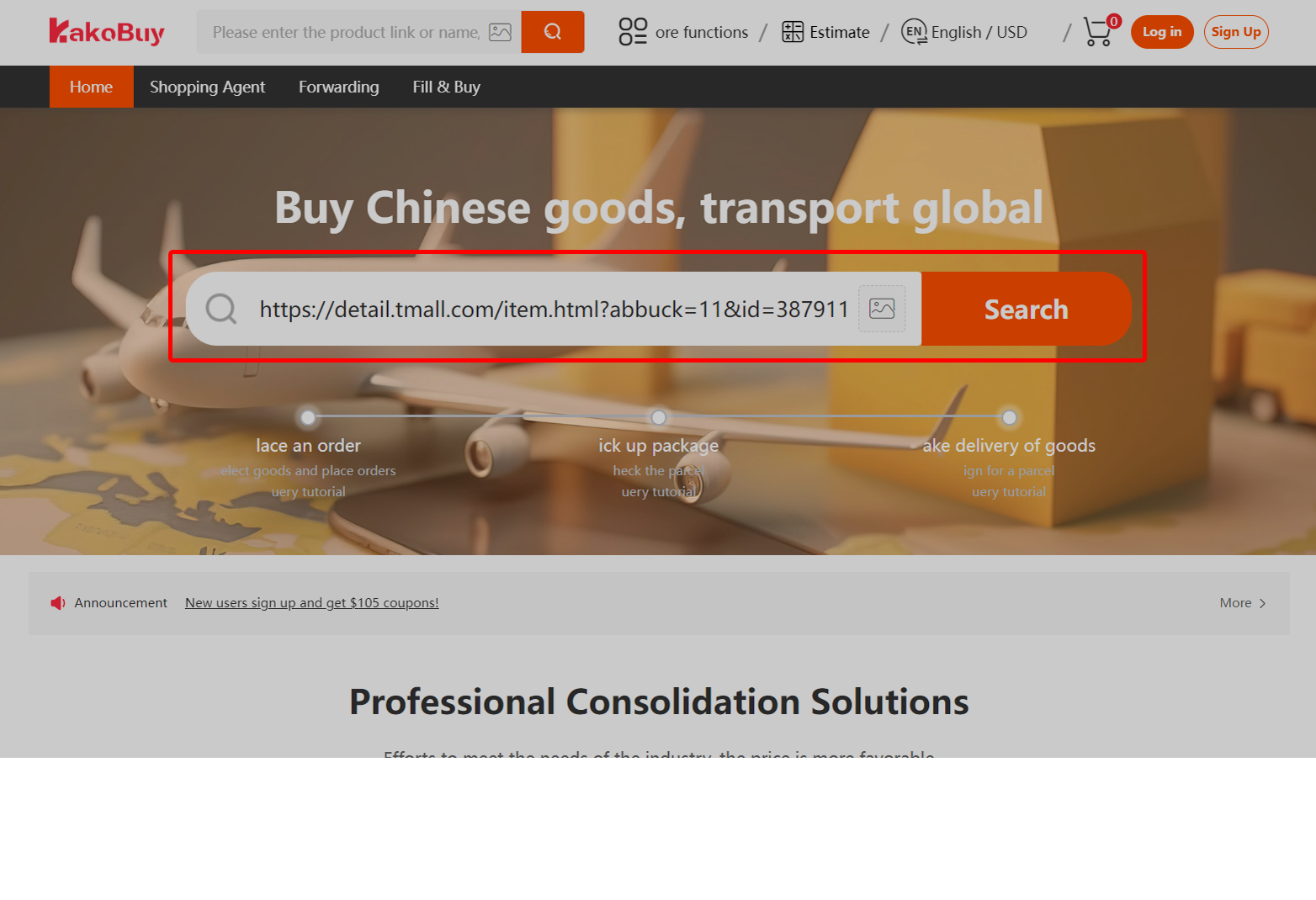
Paste the link into Kakobuy’s product search
Paste the link into Kakobuy’s product search. Search using the copied URL. Check that the product Kakobuy imports is the listing you intended. Full-size image 03 ↗
Use the image-search button when you have a reference photo
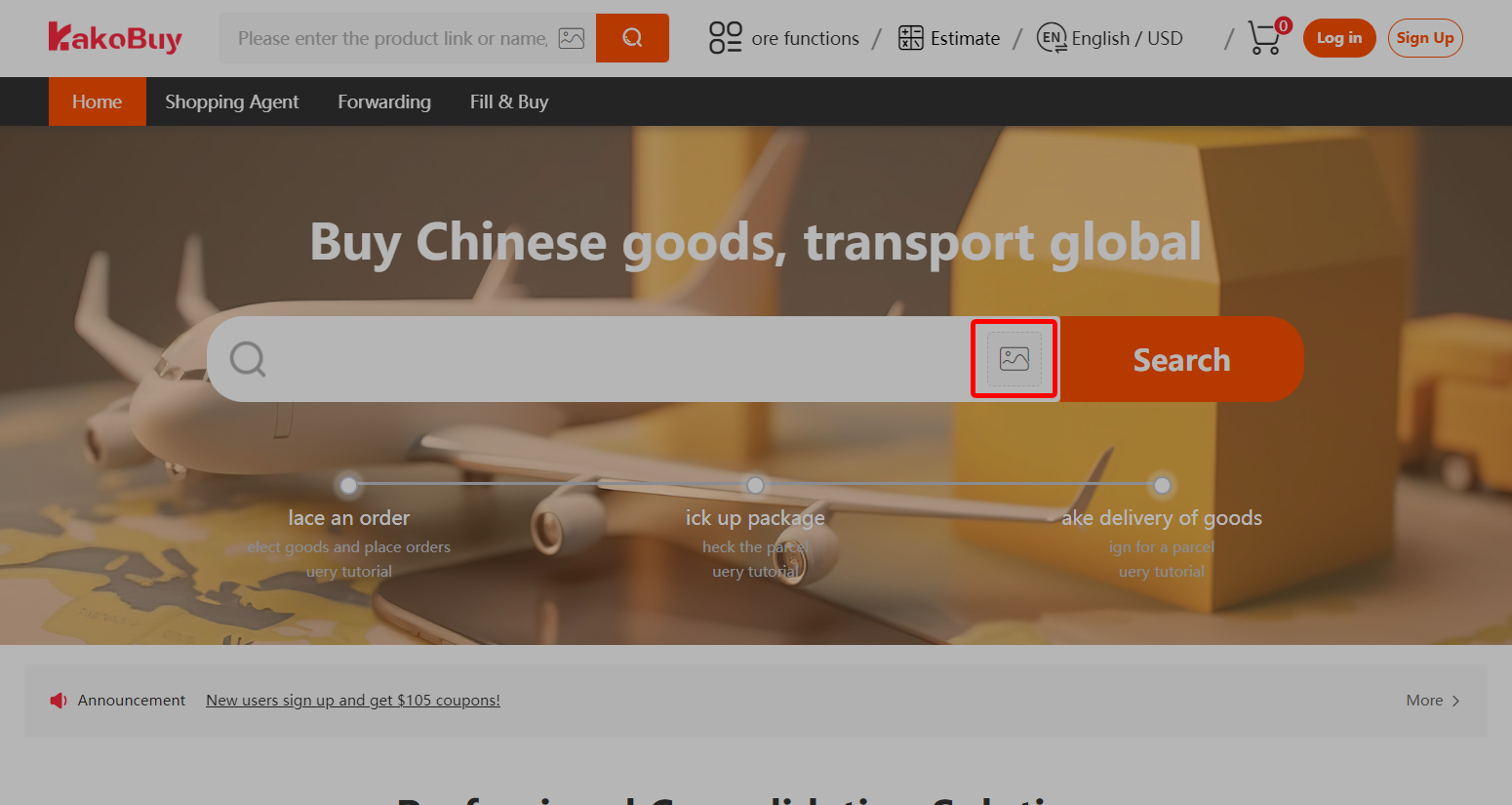
Use the image-search button when you have a reference photo. The picture icon is another way to discover a listing. Similar-looking results still need their own seller and variant checks. Full-size image 02 ↗
Search by a product keyword
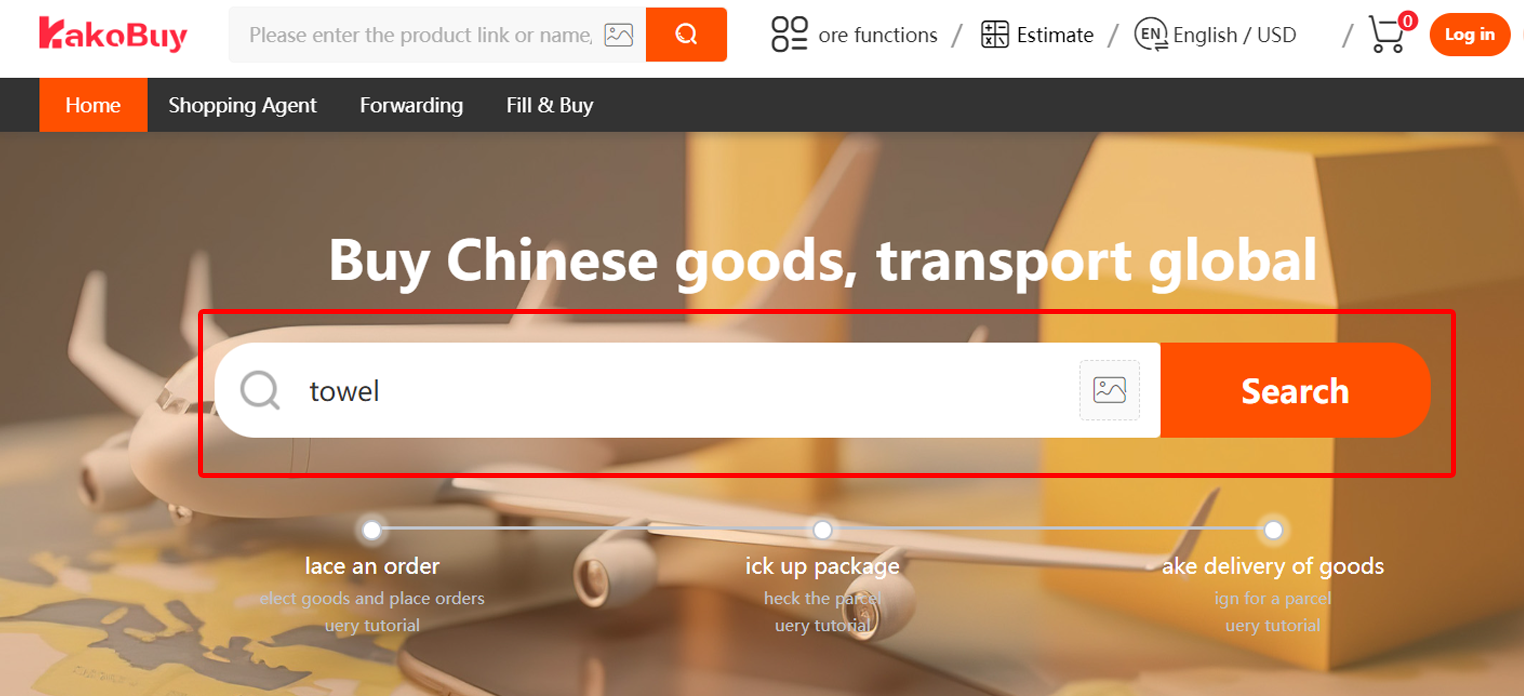
Search by a product keyword. A keyword such as the tutorial’s “towel” example starts discovery. Open a result and inspect its actual options. Full-size image 04 ↗
02

Submit the purchasing order

Choose size, colour and quantity, and review the seller’s domestic delivery charge. If automatic import fails, Fill & Buy is an alternative with its own terms. Save the listing and the offer conditions that apply to it.

Read a notice before relying on its headline →
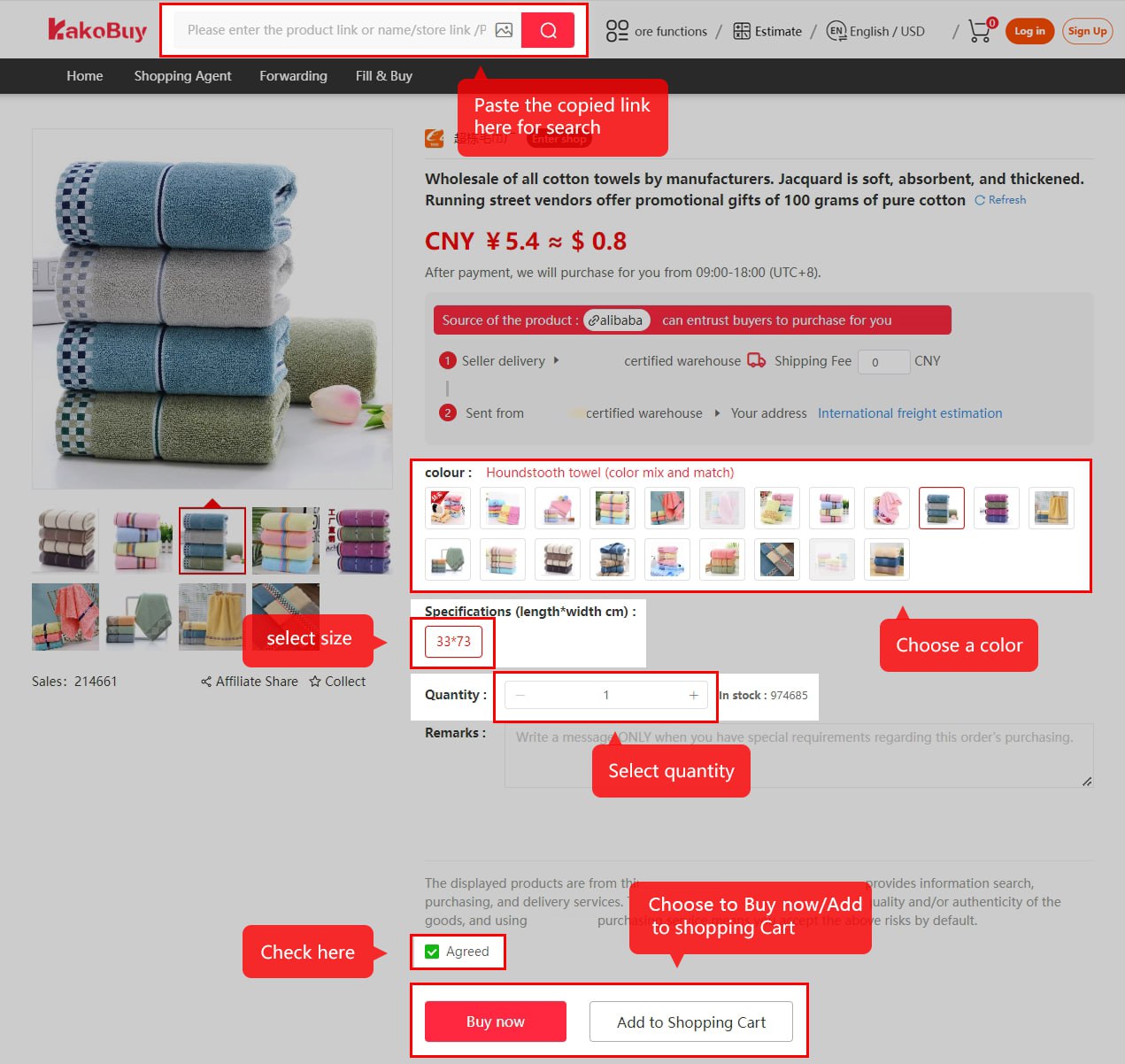
Choose colour, size and quantity before buying
Choose colour, size and quantity before buying. The highlighted controls select the variant and quantity. Read the agreement and any seller delivery charge before adding to cart or buying. Full-size image 05 ↗
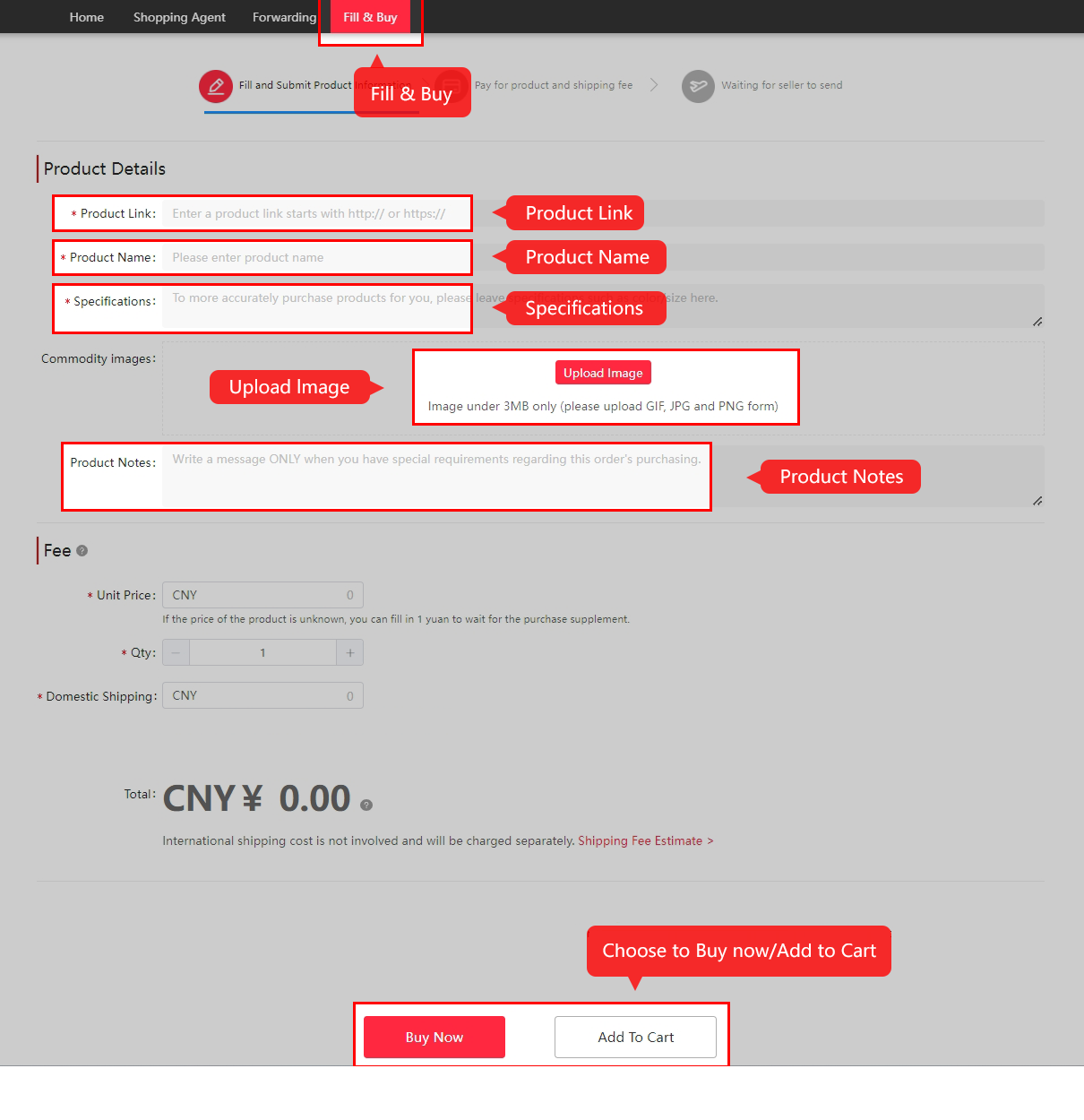
Use Fill & Buy when automatic import cannot describe the item
Use Fill & Buy when automatic import cannot describe the item. Supply the product URL, name, specification, image and pricing information. Use the current Kakobuy form and terms. Full-size image 06 ↗
03

Pay for goods and domestic delivery

The first payment starts the purchasing process. Check whether an item-price offer or subsidy-earning condition is tied to this payment date. Confirm the actual handling fee and currency debit; old tutorial amounts are not a quote.

Compare payment fees and conversion →
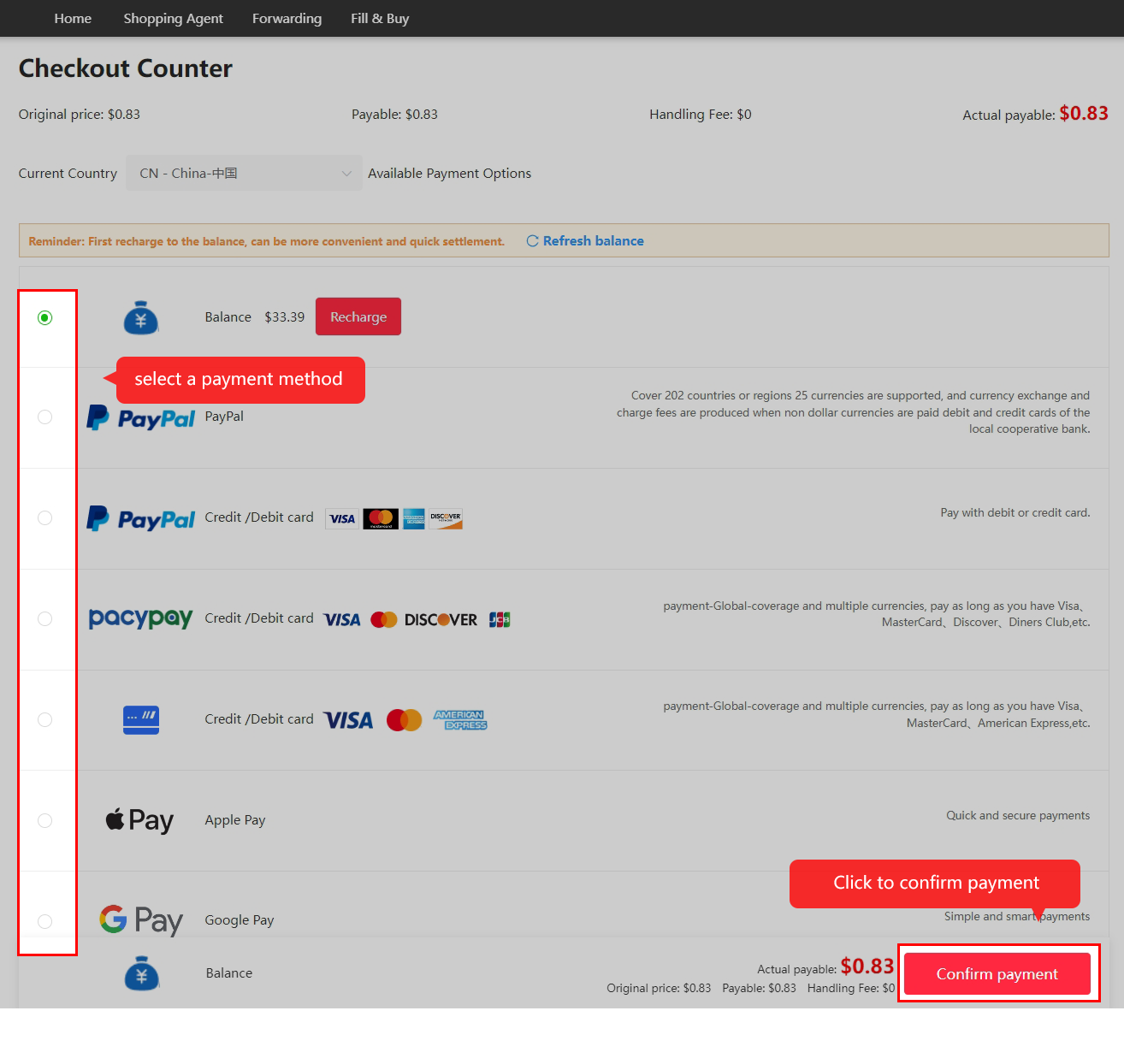
Pay for the item and seller’s domestic delivery
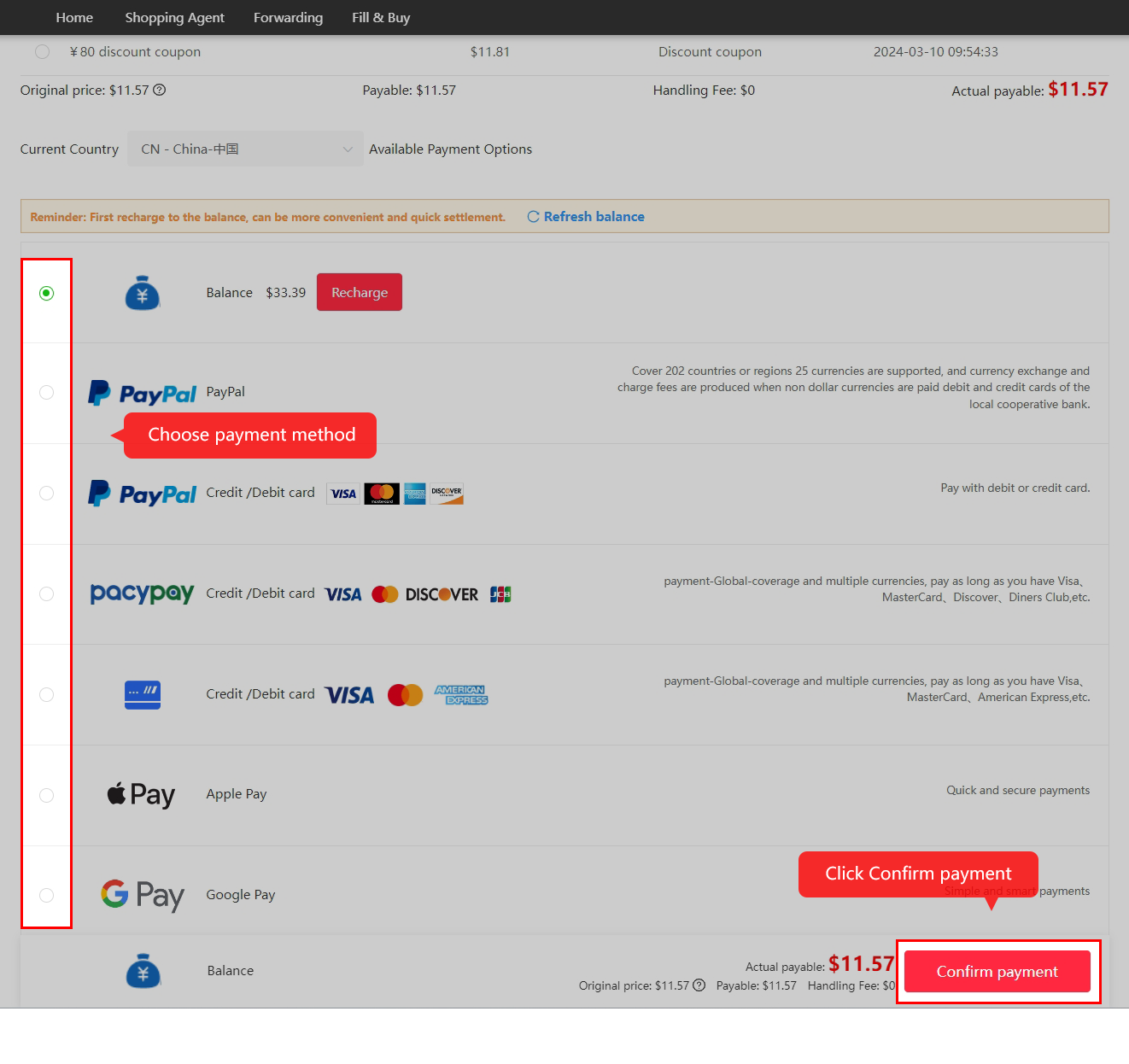
Pay for the item and seller’s domestic delivery. This is the first payment. Confirm the amount and the payment method actually available to your account; international freight comes later. Full-size image 07 ↗
04

Wait for purchasing review and seller dispatch

Read order messages and respond to stock or price changes. Processing and seller dispatch are separate stages. An advertised festival window does not guarantee that goods will reach the warehouse before it ends.

Check the date you expect to pay →

Wait for purchasing review and the seller’s dispatch
Wait for purchasing review and the seller’s dispatch. Kakobuy processes the request and the merchant sends the item to the warehouse. Read messages about stock or price differences; timing depends on both parties. Full-size image 08 ↗
05

Check QC and the storage deadline

Open the item’s warehouse photos and compare the ordered model, visible condition and any measurements. The dated 120-hour return policy is conditional on item and seller eligibility. Normal storage is described as 100 days from in-storage; a subsidy expiry does not extend it.

Use the QC review checklist →
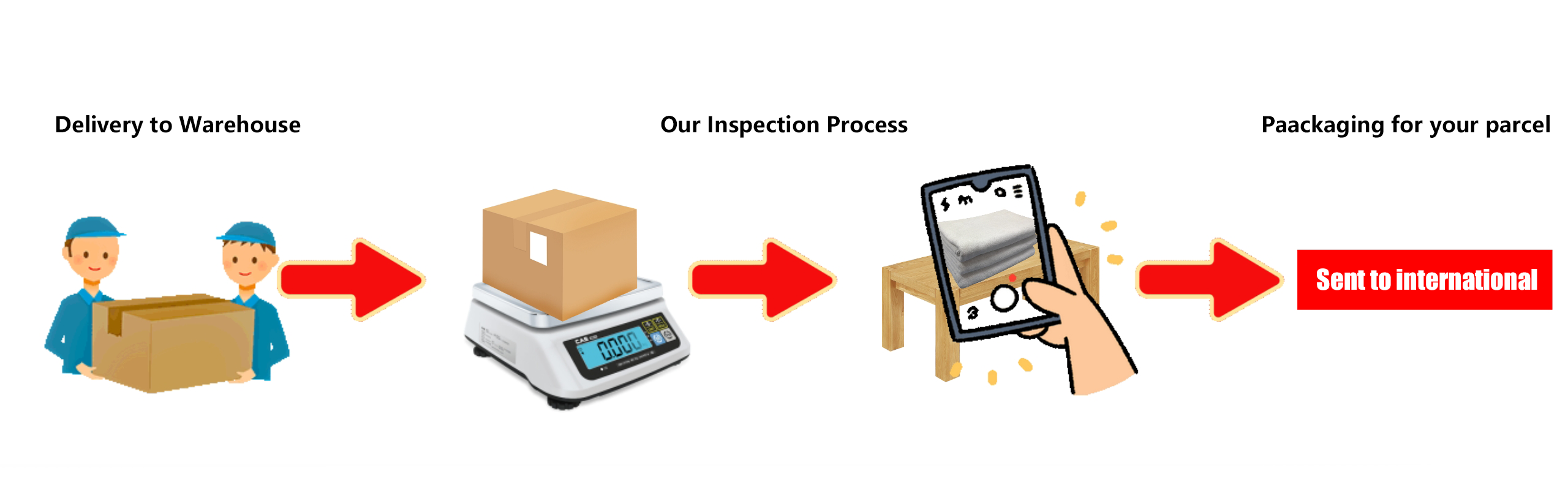
The warehouse receives and inspects the goods
The warehouse receives and inspects the goods. This official diagram shows arrival, inspection and the later packing stage. Visual inspection is not a laboratory, authenticity or functional test. Full-size image 09 ↗
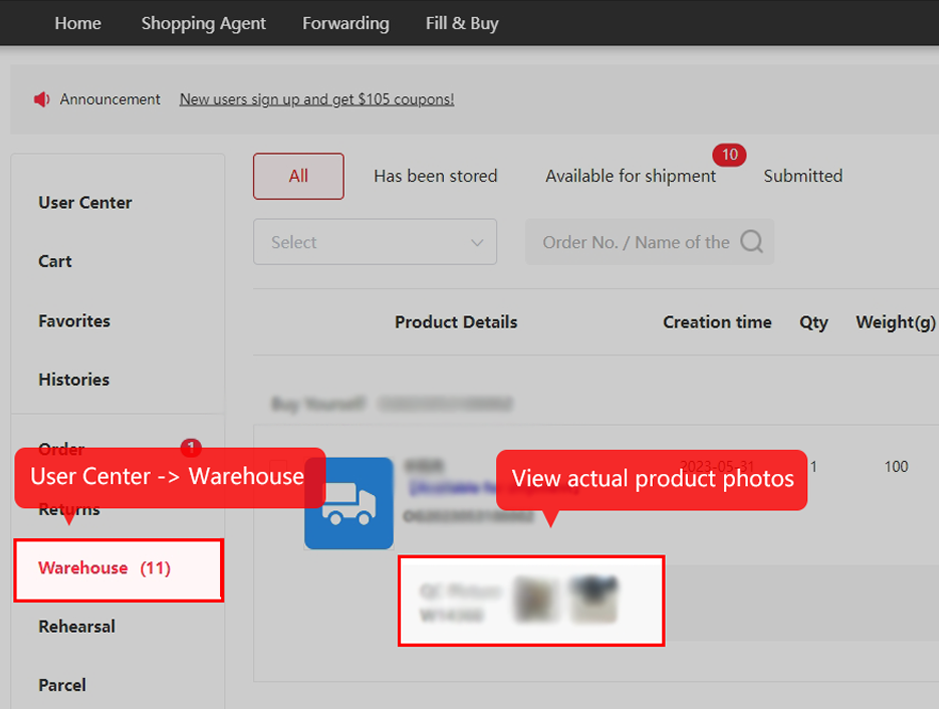
Open the item’s QC photos in Warehouse
Open the item’s QC photos in Warehouse. Use User Center → Warehouse and the item’s photo area. Compare the ordered variant, visible condition and any requested measurements before shipping. Full-size image 10 ↗
06

Submit a parcel and pay international freight

Select stored items, confirm the address and packaging, and choose an eligible line. Check packed weight or volumetric charging, route restrictions and optional cover. Apply only coupons or subsidy your parcel checkout accepts, within their own validity dates.

Separate earning, redemption and use-by dates →
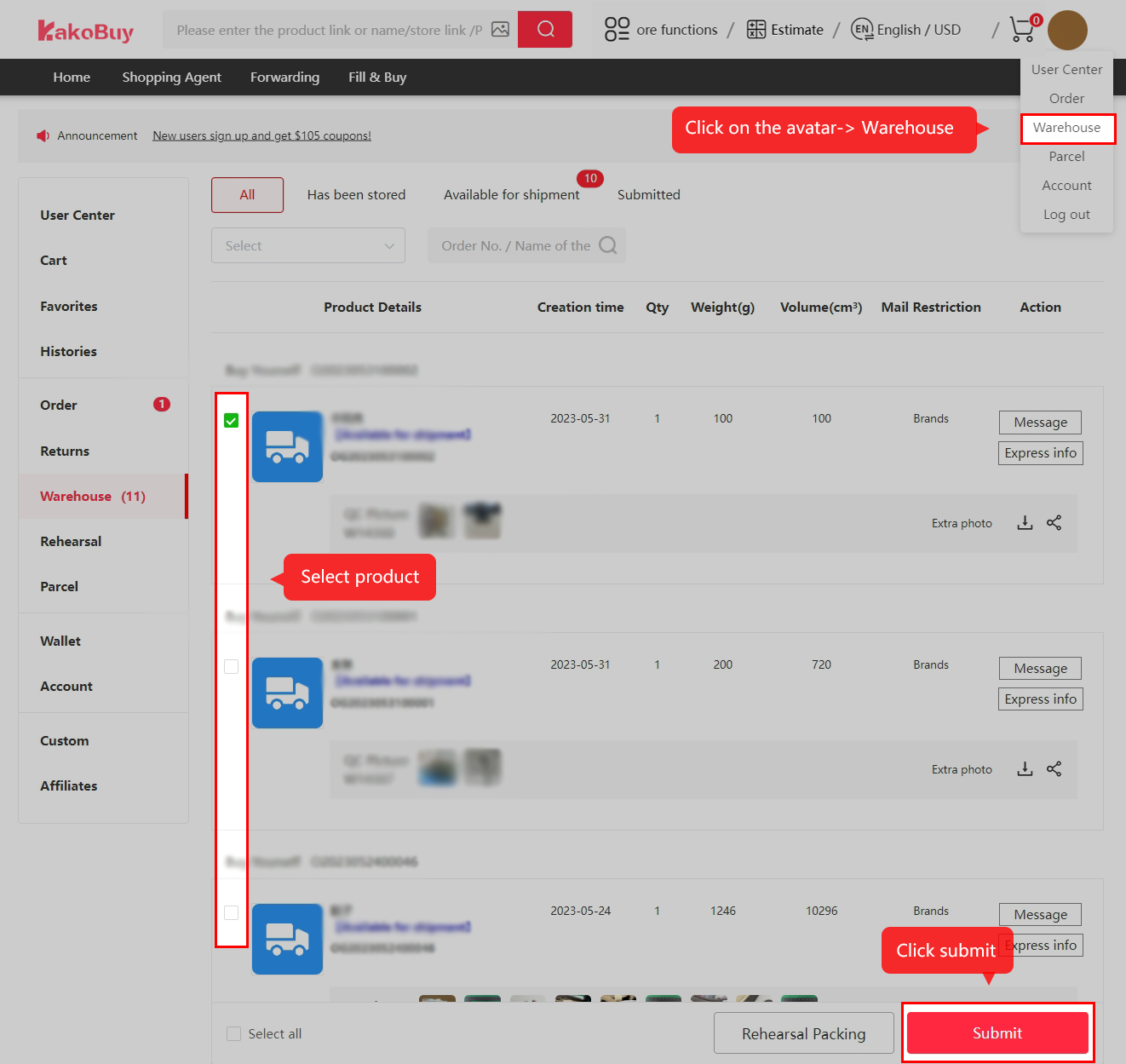
Select the stored items for your parcel
Select the stored items for your parcel. Choose only the items you intend to ship and use Submit. Confirm any outstanding QC or return question first. Full-size image 11 ↗
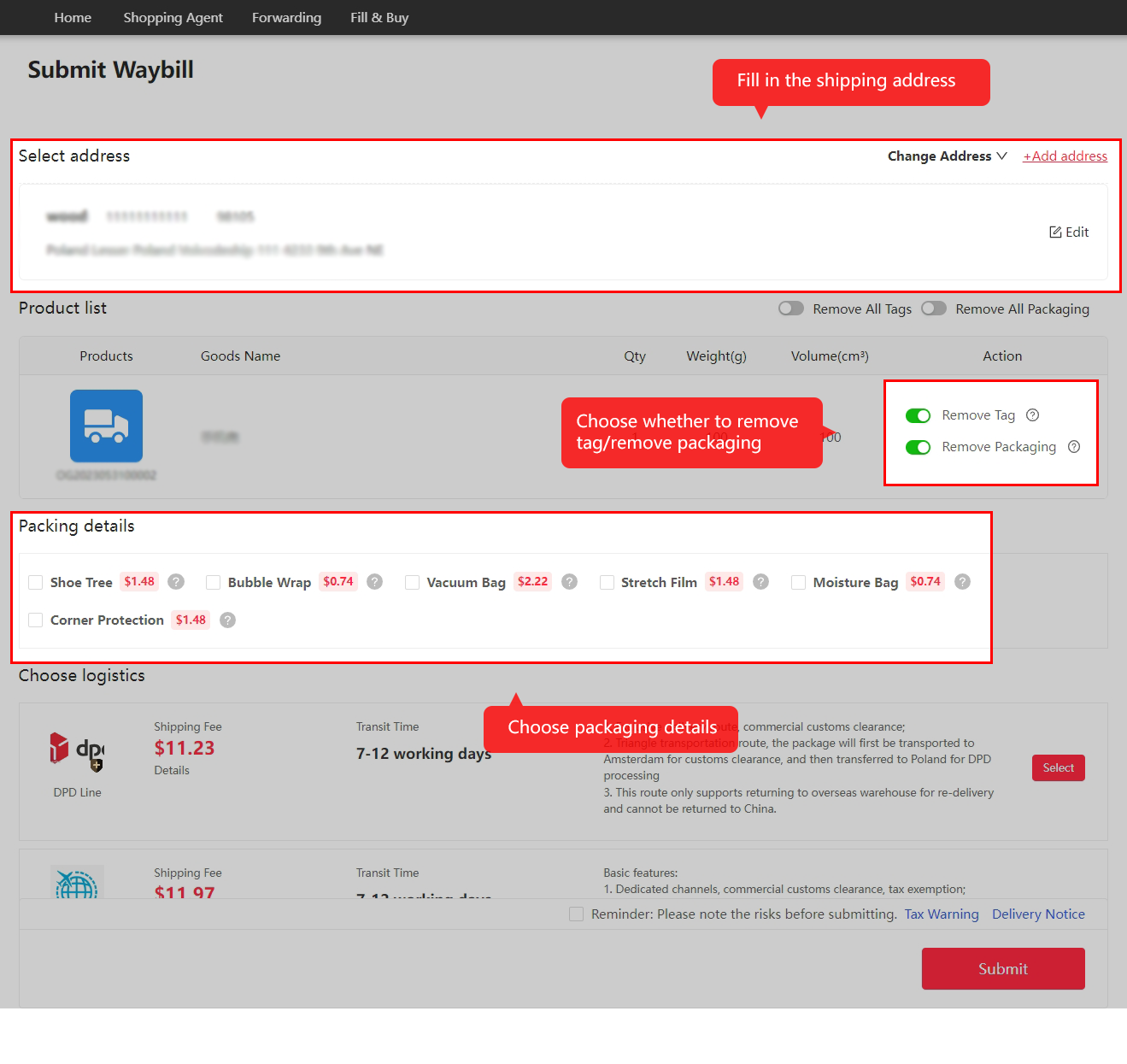
Enter the address and choose packing options
Enter the address and choose packing options. Check the recipient details, phone and required tax information. Decide whether original packaging is needed and whether the contents require protection. Full-size image 12 ↗
Choose an eligible logistics service
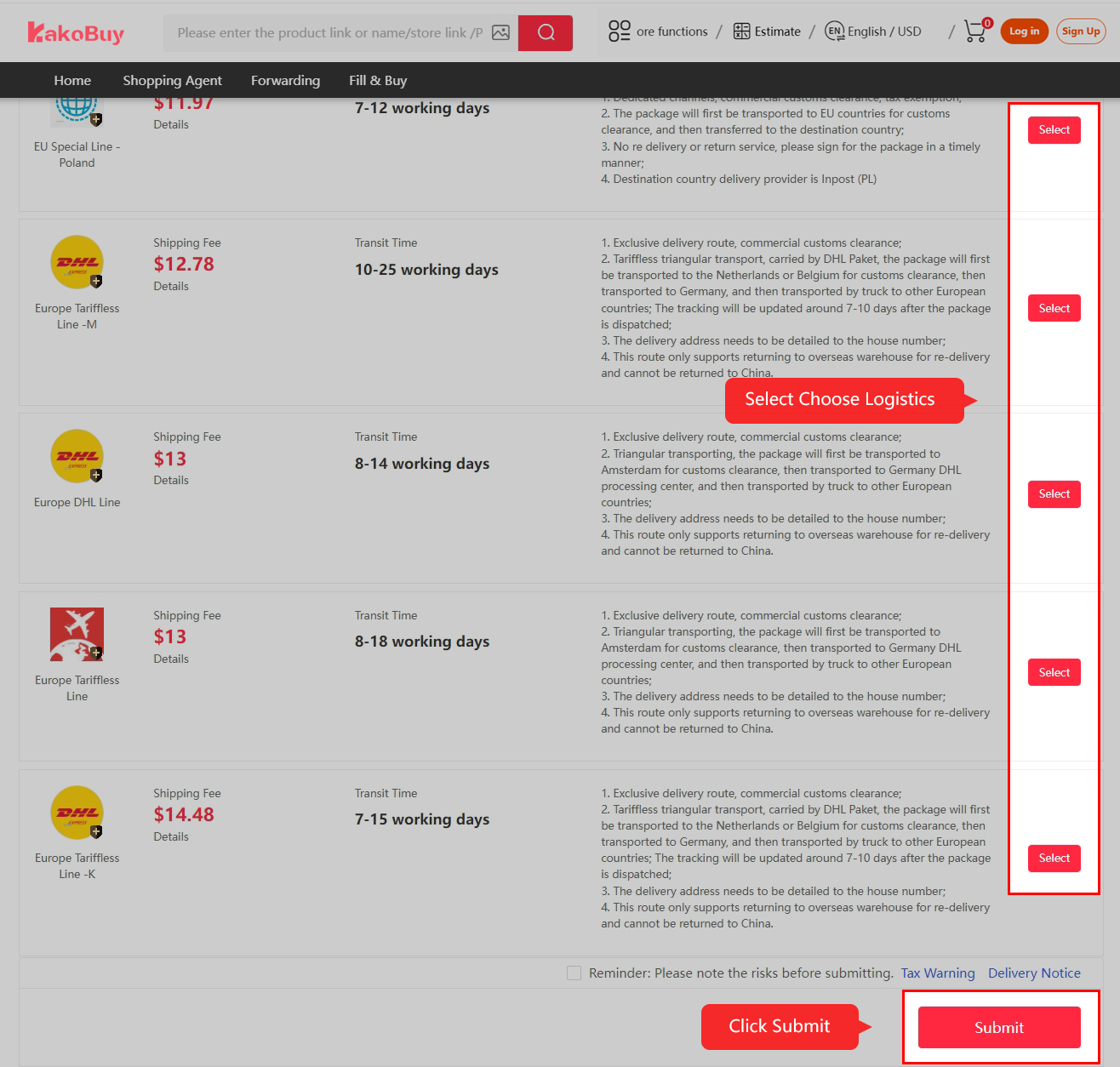
Choose an eligible logistics service. Read the line’s restrictions and charging method before selecting it. The Poland and Europe routes pictured are historical examples, not current quotes for your destination. Full-size image 13 ↗
Review the parcel checkout and pay international fees
Review the parcel checkout and pay international fees. Check the line, services, any valid coupon and final amount. This payment is separate from the first item payment. Full-size image 14 ↗
07

Follow dispatch and tracking

Keep the parcel number and read outbound and carrier updates. A quiet tracking interval is not proof of loss. The estimate and any claim conditions belong to the selected route, not to the promotion calendar.

Find the right official support channel →
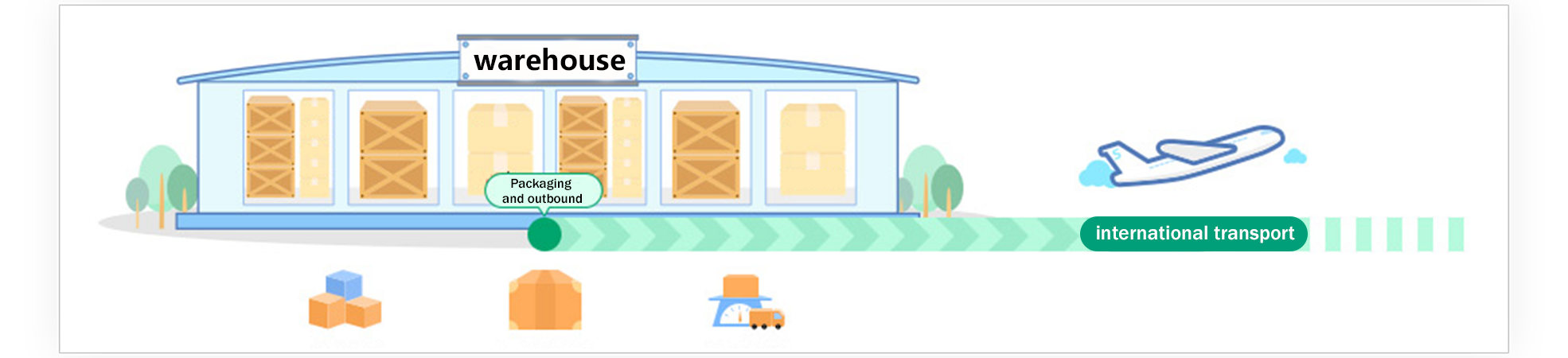
The warehouse prepares the parcel for outbound transport
The warehouse prepares the parcel for outbound transport. Packing and handover follow the parcel’s actual processing status. The billed parcel weight can include packing and may be subject to volume rules. Full-size image 15 ↗
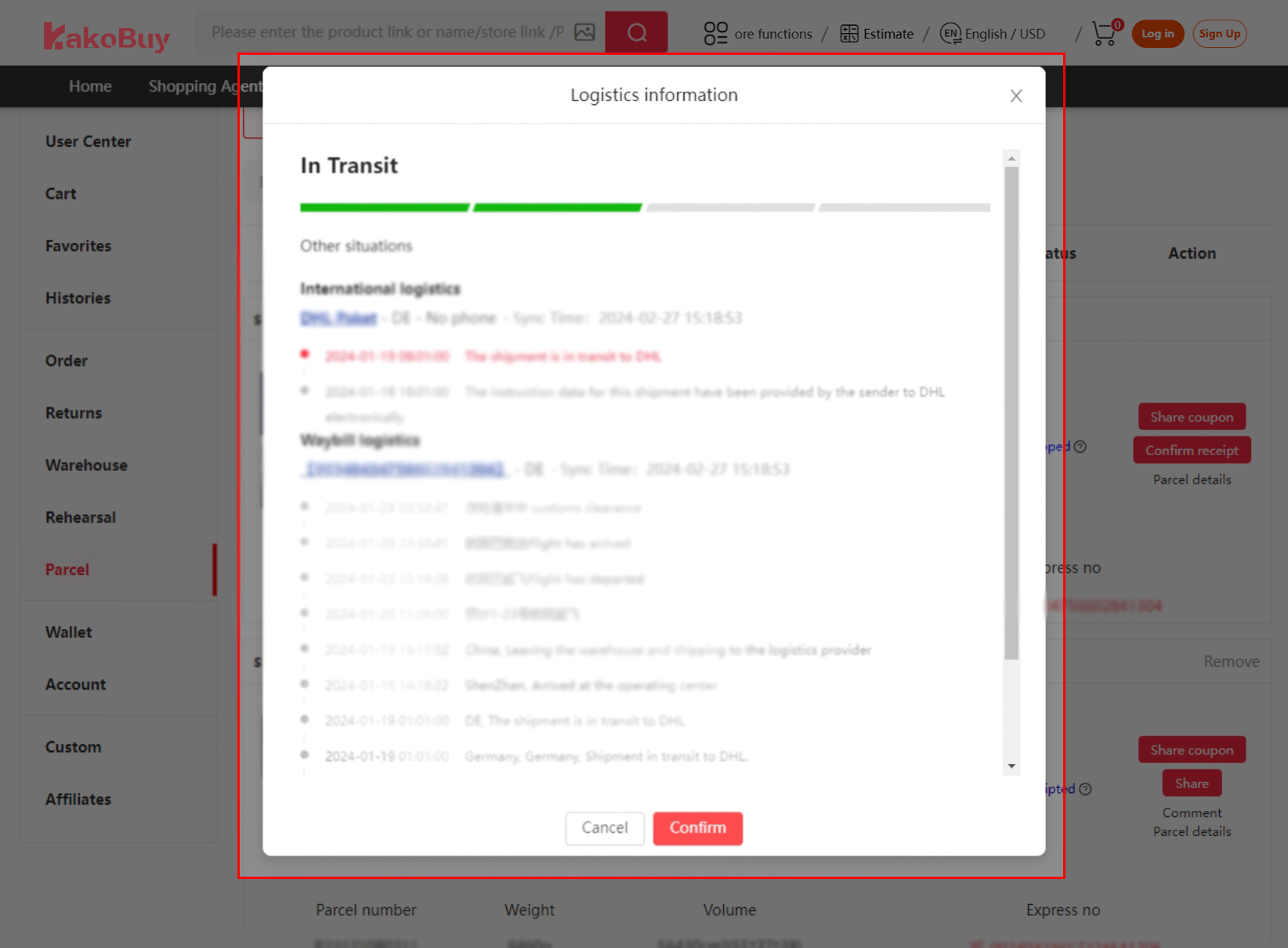
Follow logistics events from the parcel record
Follow logistics events from the parcel record. Tracking may show separate international and waybill events. A gap between scans alone does not prove loss; use the parcel support channel if the actual status needs investigation. Full-size image 16 ↗
08

Inspect delivery and confirm receipt

Inspect the outer package and goods before confirming receipt. If something is wrong, keep photos, packaging and original records and contact the official parcel or order channel promptly. A coupon does not replace evidence for a claim.

Prepare the details support will need →
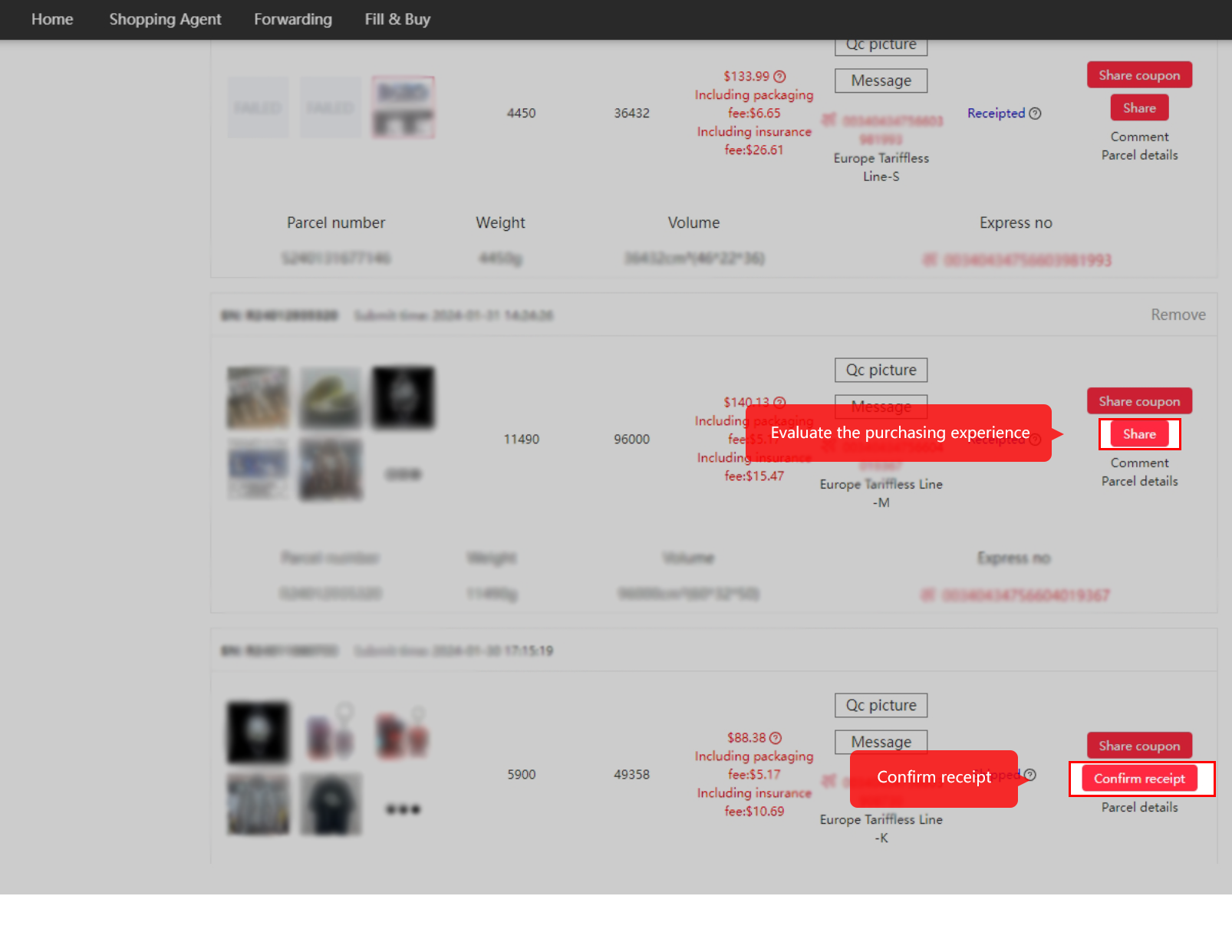
Inspect delivery, then confirm receipt
Inspect delivery, then confirm receipt. The parcel list includes Confirm receipt. Check your delivered contents first and document any genuine issue promptly with the relevant parcel details. Full-size image 17 ↗

How to use this site's date probe before you pay
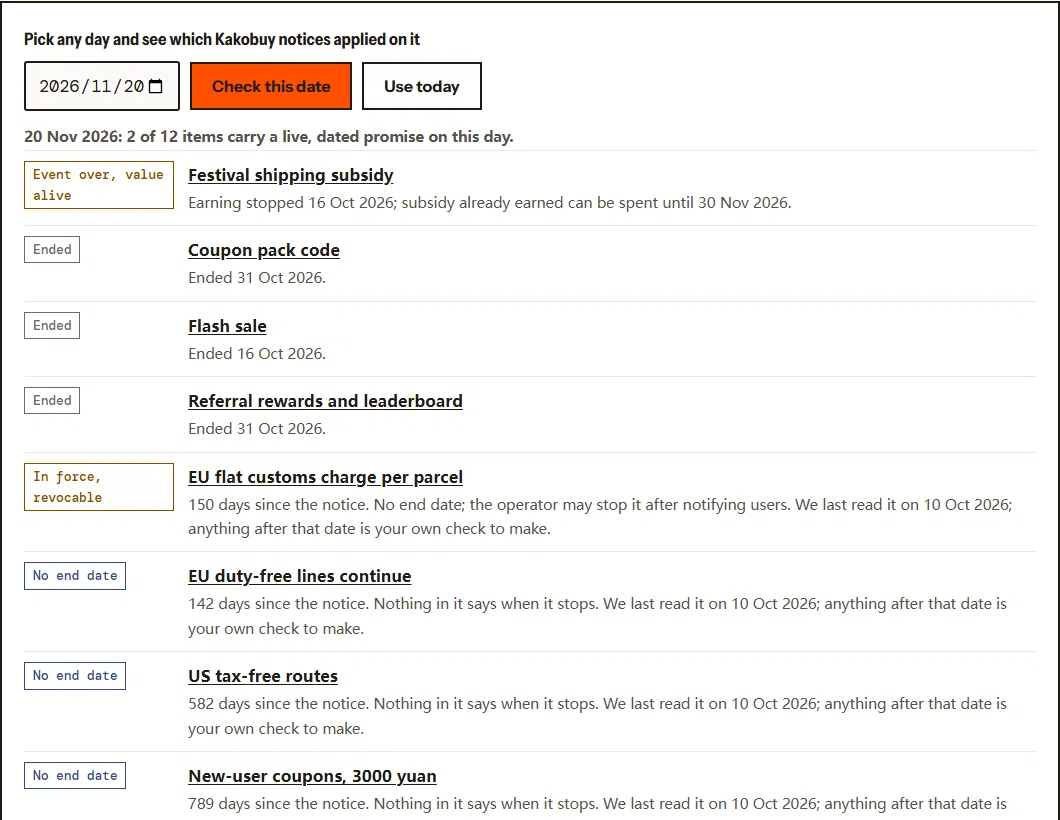
Screenshot of the date probe with 20 November 2026 selected, listing each Kakobuy notice with a status such as event over value alive, ended, or in force revocable
The date probe on our calendar page with 20 November 2026 picked: the festival subsidy is the only festival item still alive. Open full size ↗

The calendar page has a date probe. Pick the day you plan to pay, and it lists every notice we track with its status on that day: in force, announced but not started, event over with value still alive, ended, open-ended, quota only or unverified. The red line on the timeline moves to that date.

Use it twice per order: once with the day you will pay for goods, to see item-price promotions, and once with the day you expect to submit the parcel, to see shipping subsidies and customs terms. If the two dates straddle the end of a window, the probe shows it plainly. It cannot tell you about changes after our last check, which is printed under the tool.

Why Kakobuy, and when another agent fits better
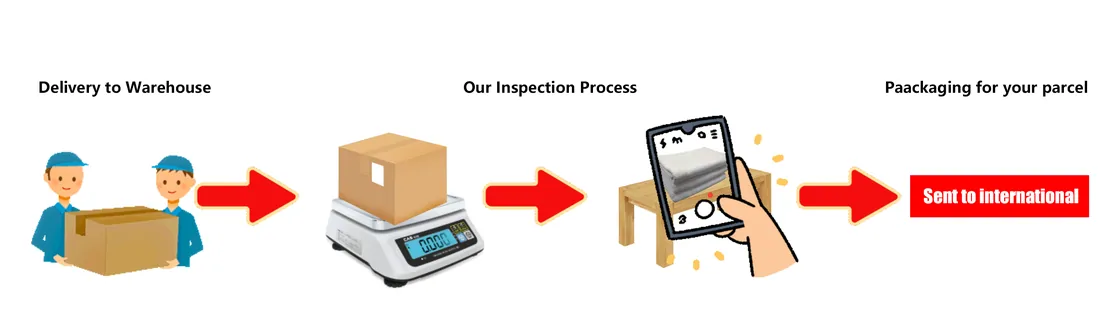
Operator diagram of three steps: delivery to warehouse, inspection with scale and photo, and packaging for your parcel sent to international
Operator diagram of the warehouse stage. Every agent runs some version of this. Open full size ↗

Start with what all shopping agents share: they buy on Chinese marketplaces for you, receive goods at a warehouse, photograph them, consolidate and ship. On that core Kakobuy is ordinary, and its notices show the usual agent habits, including festival coupons and referral programs.

What is specific to Kakobuy: no agent service fee, a free storage period of 100 days, a conditional 120-hour return request window counted from check-in, a June 2026 EU notice describing a flat €3 per-parcel arrangement that may be withdrawn with notice, and dated US estimator examples with tax-free or duty-free labels. Current line eligibility and checkout terms must be confirmed. Third-party measurement on 8 October 2026 put its exchange-rate markup at about 8.5% over the mid-market rate, a historical observation that should be checked against the debit and yuan credit in your actual payment.

When another agent may suit you better: if you need a written use-by date for every promotion before you commit, if you want a published number of free QC photos (Kakobuy does not publish one), or if the 8.5% currency markup outweighs the coupons you would actually use. Compare the total on your own parcel, on the same day, rather than any headline.